Photo & exterior
Exterior paint visualizer for your own house
Try a paint color, siding or roof finish on a photo of an existing house before choosing real materials. The result is a visual direction, not a color match.
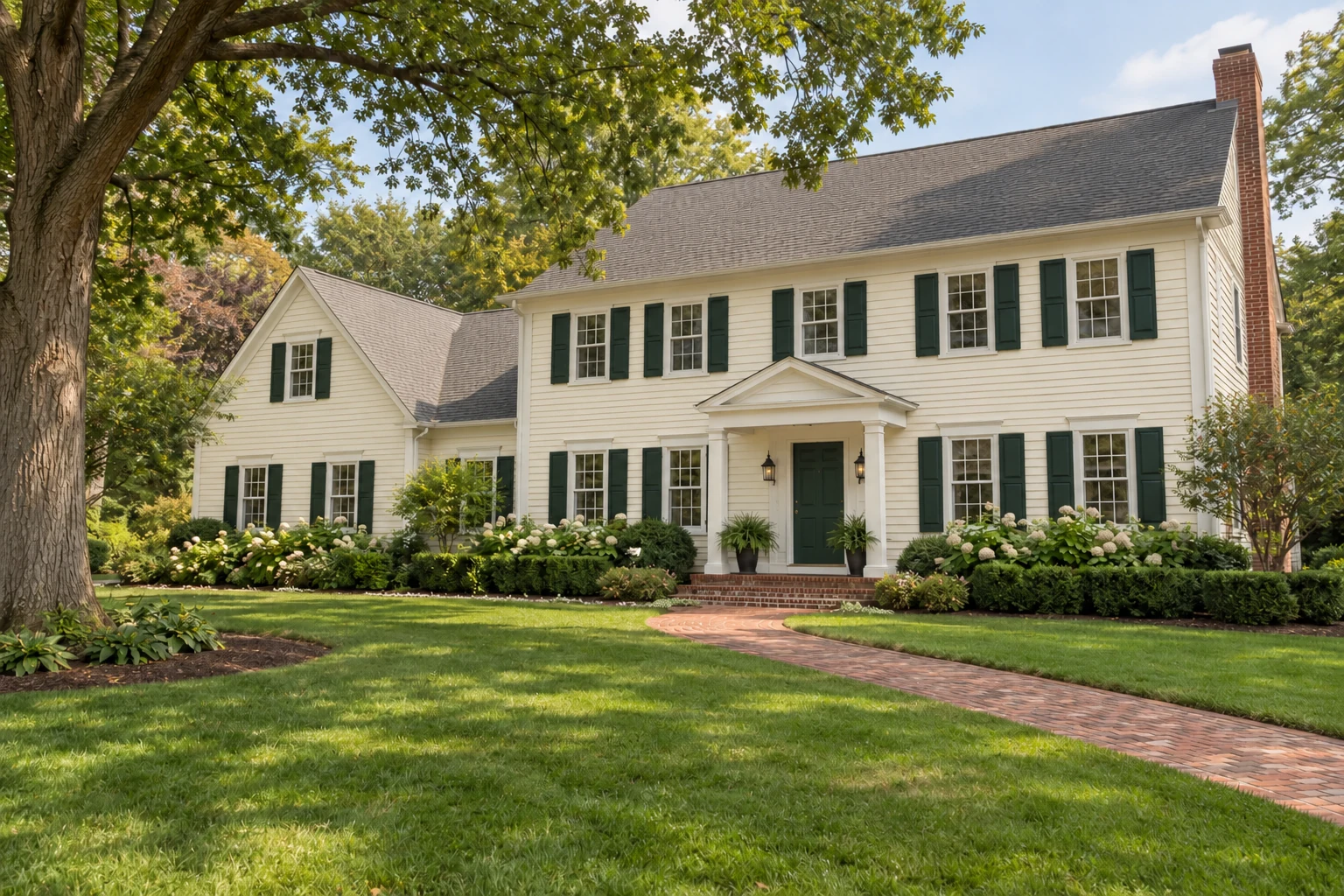
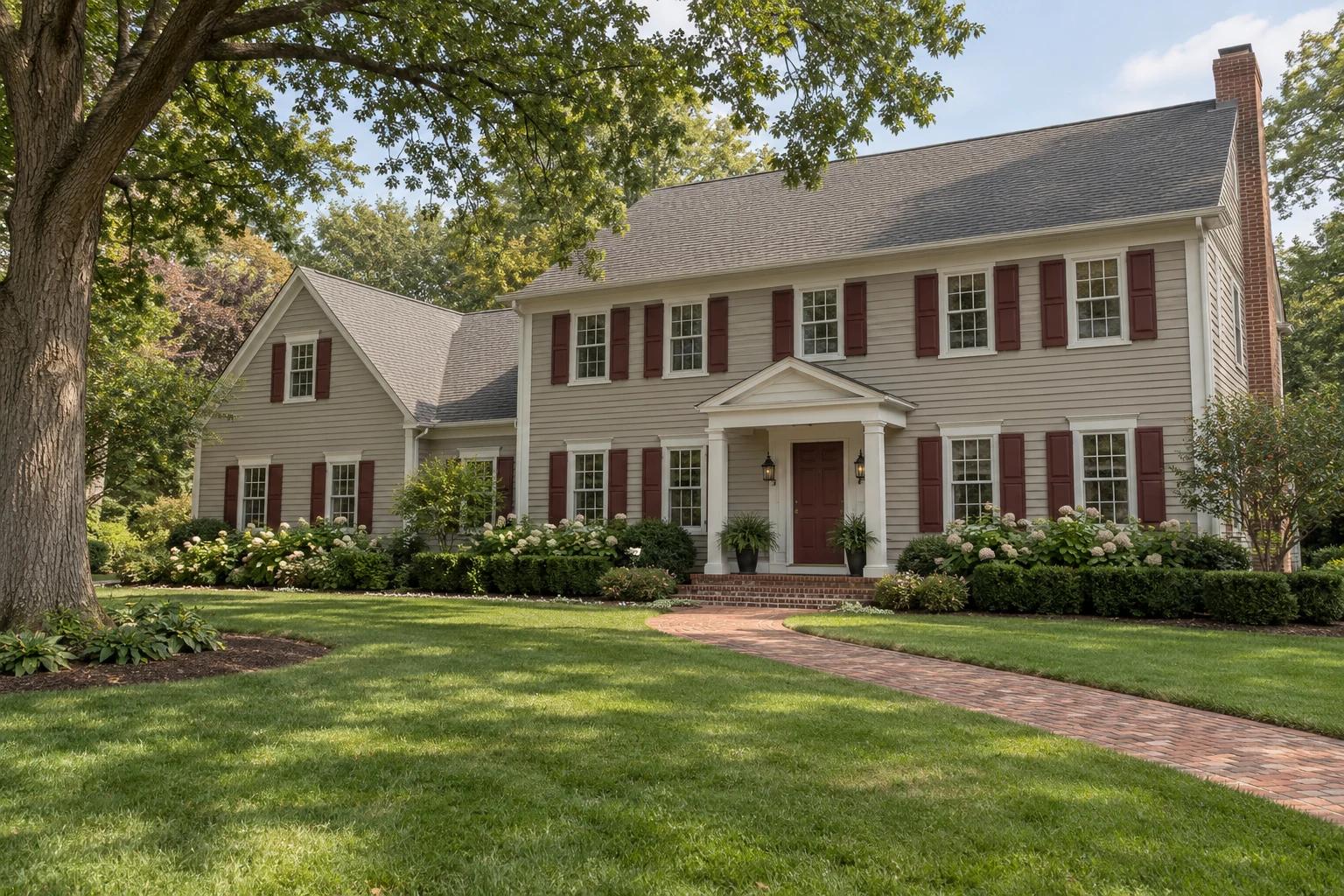
What you upload
A photo of the front or side of a building
A photo of the front or side of the building in even daylight, with the surfaces you want to change clearly visible.
JPG, PNG or WebP, up to 12 MB per image. Up to 1,536 px on the free plan and 6,144 px on Studio.
How to run it in Studio
- In Studio, open Photo tools, choose Custom and upload your existing exterior photo.
- Set Type of change to Exterior refresh, or leave it on Detect from my words and describe the specific job.
- Name the surfaces to change and the features to keep. Check the model, output size and credit quote, then select Generate.
Example instruction
Paint the existing siding warm ivory and the shutters and front door deep forest green. Keep the roof, trim, windows, porch, brick path, garden, camera view and lighting unchanged.
Check the result
Check windows, doors, trim and rooflines against the original. Screen color is not paint color, so confirm your choice with physical samples in your own light.
AI can change details you did not ask it to change. Compare every result with your original before you use it. For a commercial listing, do not use an edit to hide defects or to present a proposed renovation as an existing feature.
Who uses this
Real estate
Agents and listing photographers
Get a vacant listing photographed, staged and online in the same afternoon.
For real estateLandscape & outdoor
Landscapers, pool and outdoor-living trades
Show the finished garden while you are still standing in the unfinished one.
For landscape designersRenovator
Builders, remodellers and flippers
Price a change by showing it, not by describing it.
For renovatorsArchitect
Architects and building designers
Explore a plan or an elevation as a photoreal design concept.
For architectsHomeowner
People deciding about their own house
See it on your house before you commit to it.
For homeownersQuestions
About the exterior paint visualizer
What does the exterior paint visualizer change, and what stays the same?
The model is told to repaint or re-clad the exterior surfaces named in the brief. Rooflines, windows, trim geometry, planting and the camera position are fixed; only finishes change. AI can still change a detail you did not ask for, so compare the result with your original before you use it.
What photo do I need?
A photo of the front or side of a building. JPG, PNG or WebP, up to 12 MB.
How much does the exterior paint visualizer cost?
Your first 5 renders are free with an account and no card. They carry a watermark and are for personal use. After that, one render with this tool is 9 credits on the standard model. Starter is $15 a month for 100 standard renders.
How long does it take?
Generation time varies by model, resolution and demand.
Can I use the result for a client or a listing?
Yes, on a paid plan or with a top-up pack: no watermark, and a commercial licence. Free renders are for personal use only. Renders may depict an edited space or a generated design concept. Always disclose edited and virtually staged photos when you publish them.
Also in photo & exterior