Southwest inspired / Desert courtyard
Give the landscape room to breathe.
Sculptural planting, warm gravel and weathered stone create a quiet courtyard around an adobe-style home. Open space is part of the composition.
Explore a garden concept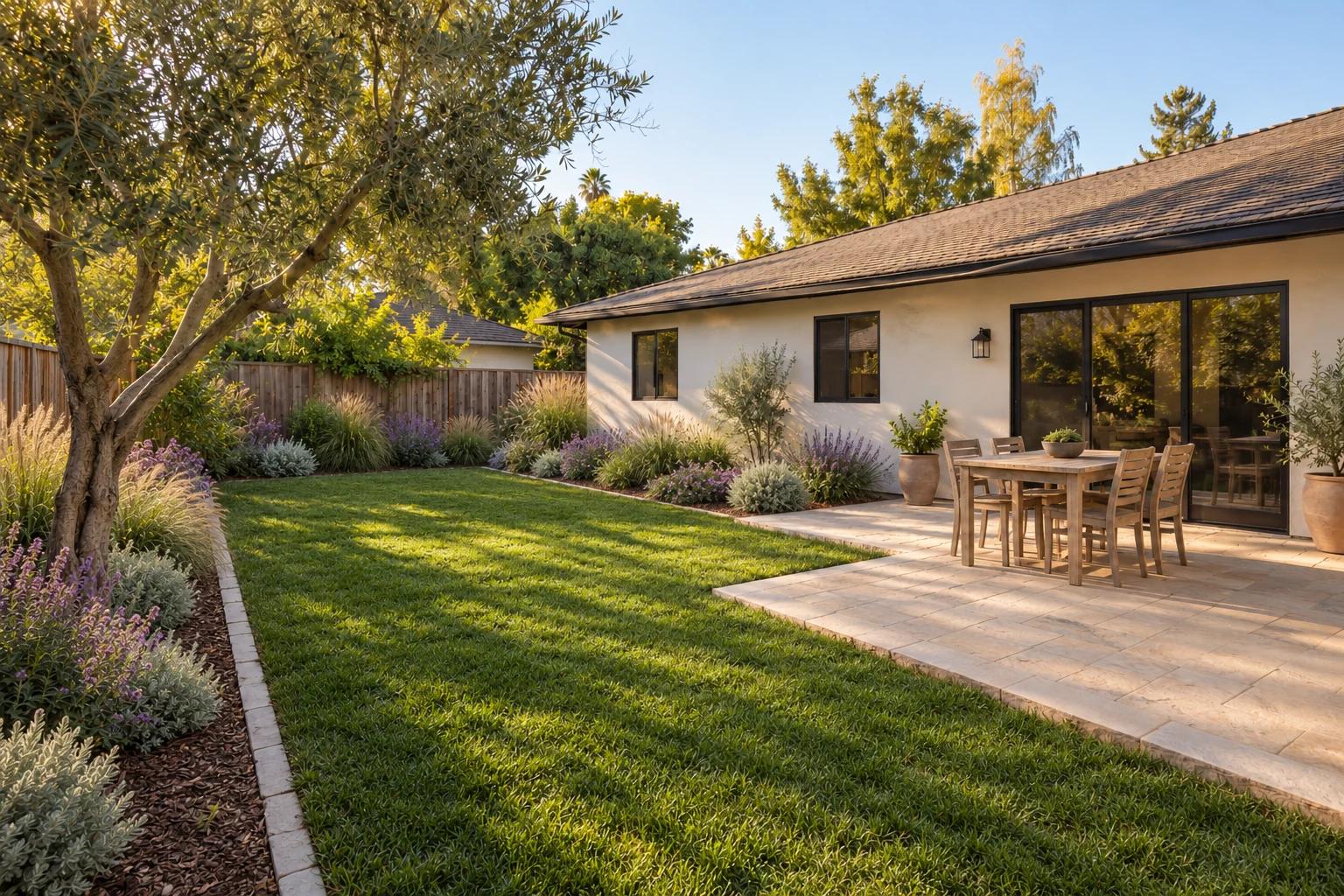
Astravisualize for landscape designers
Turn a yard photo into a planting direction. Explore texture, color and outdoor atmosphere before work begins.
Plans from $15/month · 5 free renders. No credit card.
AI-generated garden concept
01 / A planting study
Layered grasses, soft purple flowers and a greener lawn give this California yard a more inviting feel. Compare the planting direction with the generated source.
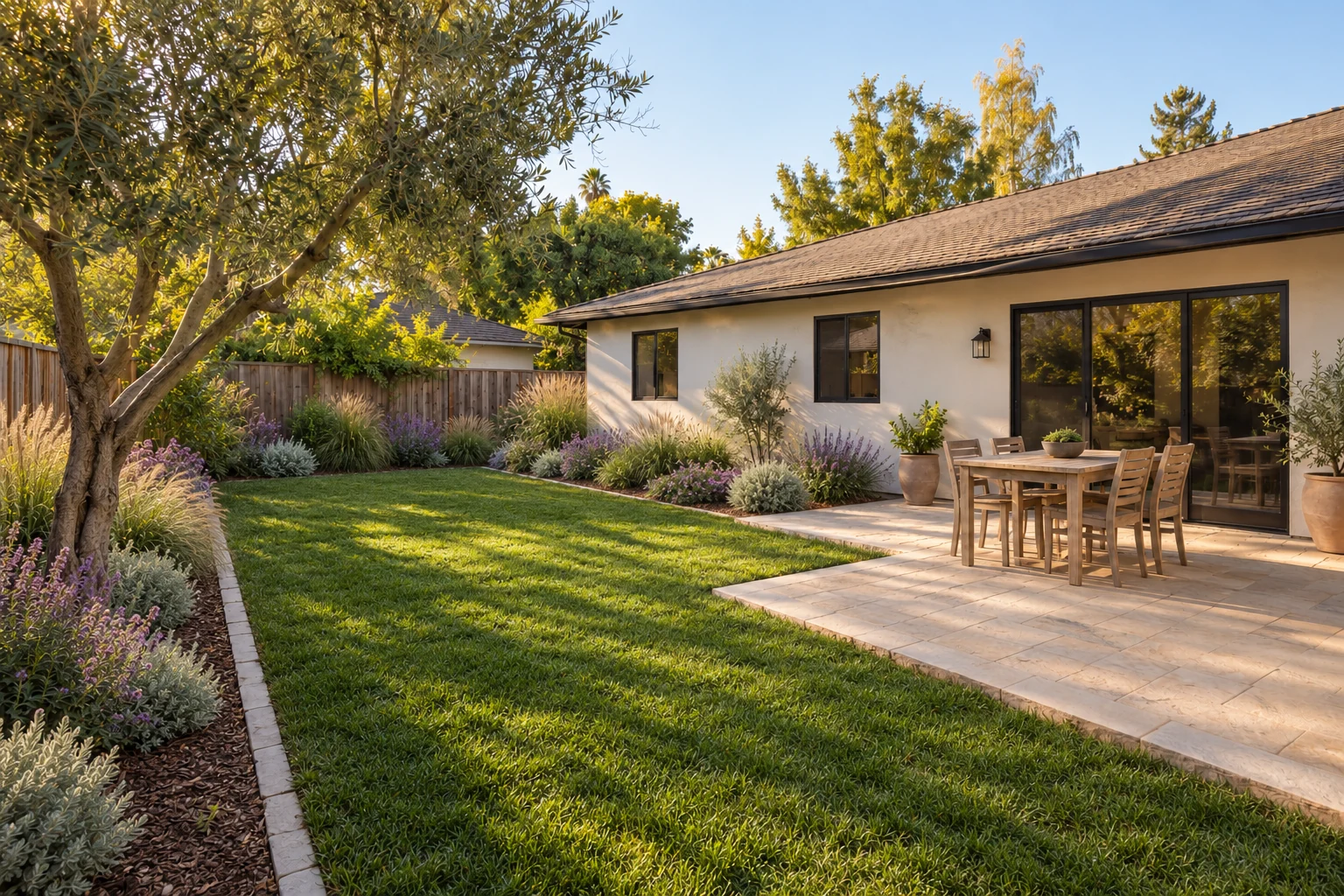
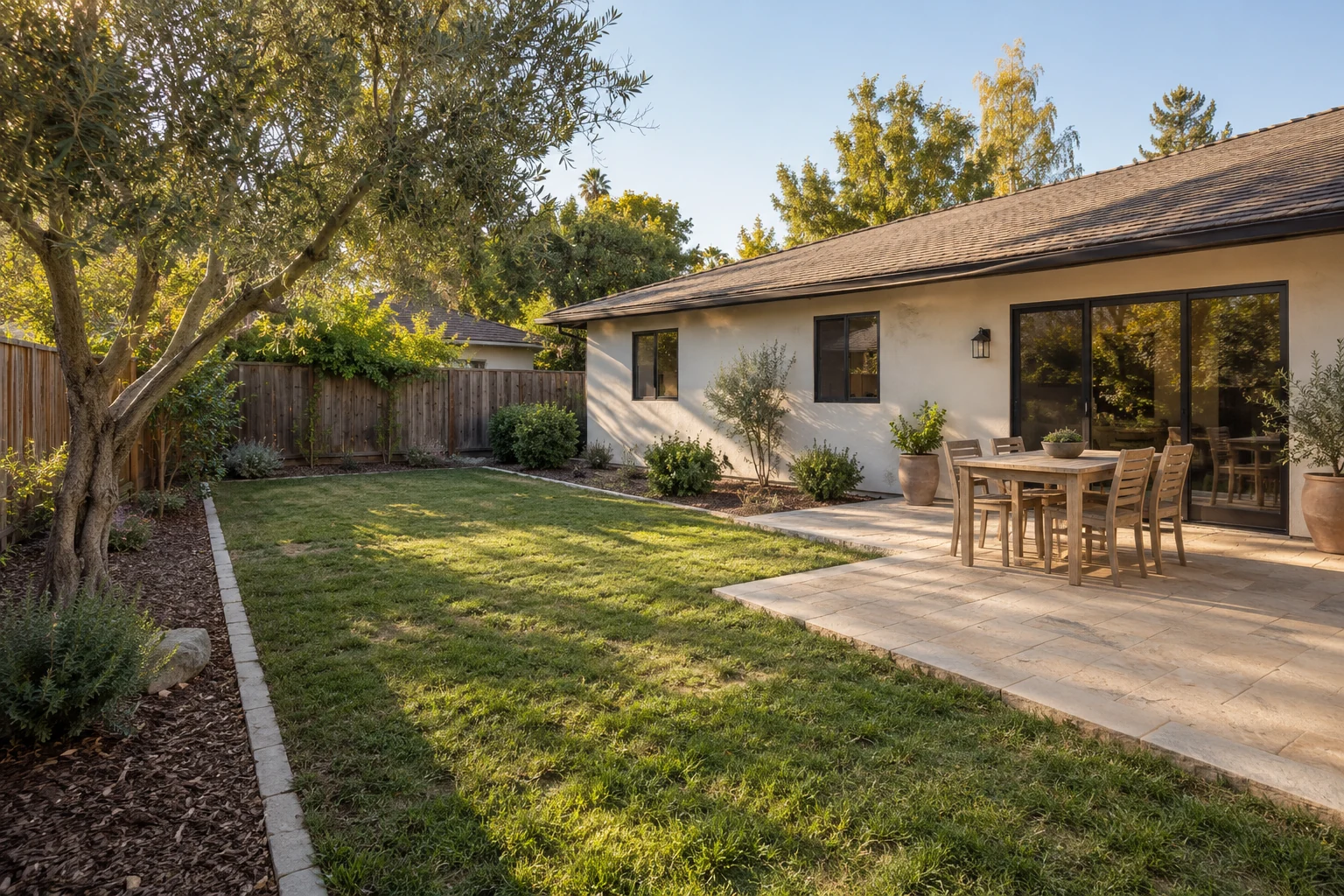
Compare the result with your source photo. AI can change details outside the planting you requested.
Explore garden previewsRefresh the planting within the existing beds with layered ornamental grasses and soft purple flowering perennials. Restore the lawn. Keep the house, windows, fence, mature tree, patio footprint, furniture, camera view and lighting unchanged.
02 / A sense of place
A sunlit desert courtyard and a shaded woodland garden ask for different materials, planting and moods.
Southwest inspired / Desert courtyard
Sculptural planting, warm gravel and weathered stone create a quiet courtyard around an adobe-style home. Open space is part of the composition.
Explore a garden conceptPacific Northwest inspired / Woodland garden
Ferns, layered foliage and a timber terrace bring a softer rhythm to a cedar-clad home. The garden feels connected to the trees around it.
Explore planting ideasOriginal AI concepts inspired by American residential landscapes. These are imagined places, not completed projects or planting specifications.
Working with Astravisualize
Upload a clear yard photo you have permission to use. For an imagined garden, choose Custom and From description.
Name the planting, finish or atmosphere you want, and what should stay. Check the model, size and credit quote before generating.
Compare with the source and check the site details. Use commercially licensed paid renders in client proposals, clearly labeled as concepts.
Before the proposal
The site still sets the decisions. Check the proposal before turning an image into a planting or construction plan.
AI landscape rendering helps designers visualize proposed planting and outdoor finishes from a yard photo or a written brief. Use Astravisualize to explore a garden direction and discuss it with a client before specifying the work.
You do not need a 3D model. Start with a yard photo for an edit, or use Custom in From description mode for an imagined place. A text-generated garden is a concept and does not describe a measured site.
The garden preview asks the model to keep boundaries, levels, the paving footprint and built structures fixed. Exact preservation is not guaranteed, and AI can still alter a fence line, a window or a paving detail. Compare each result with the source photo.
No. Astravisualize does not provide a verified plant specification, grading or drainage design, pool engineering or construction plans. The garden preview focuses on planting, lawn and finishes within the existing layout. New built features are separate concept images and need professional site design.
Yes, when paid for with subscription credits or purchased credits. Paid renders have no watermark and include commercial use, subject to the terms. Free-allowance renders are watermarked and for personal evaluation only. Get permission to use uploaded photos and identify proposed designs as concepts.
Try 5 watermarked renders for personal evaluation. Paid plans start at $15 per month. One-time credit packs start at $19. The quote depends on the model and output size. Each generation, including a new variation, uses credits; failed generations are refunded and downloads use no extra credits. Purchased credits never expire, but do not upgrade your plan or unlock premium models and larger sizes.
No. These original examples were created specifically for this page with built-in imagegen outside Studio. The California comparison is one generated source image and an edit of it; the desert courtyard and woodland garden are two independent concepts. They are not client projects or proof of results across Studio models.
Your next garden direction
Try 5 watermarked renders for personal evaluation. Paid plans start at $15 per month. One-time credit packs start at $19.
Free images are for evaluation. Use paid renders for client work.