Astravisualize for real estate
AI virtual staging for real estate agents
Help buyers picture life in your listing. Turn an empty room photo into a furnished view, with a style that belongs to the home.
Plans from $15/month · 5 free renders. No credit card.
AI-generated staging concept
From vacant to furnished
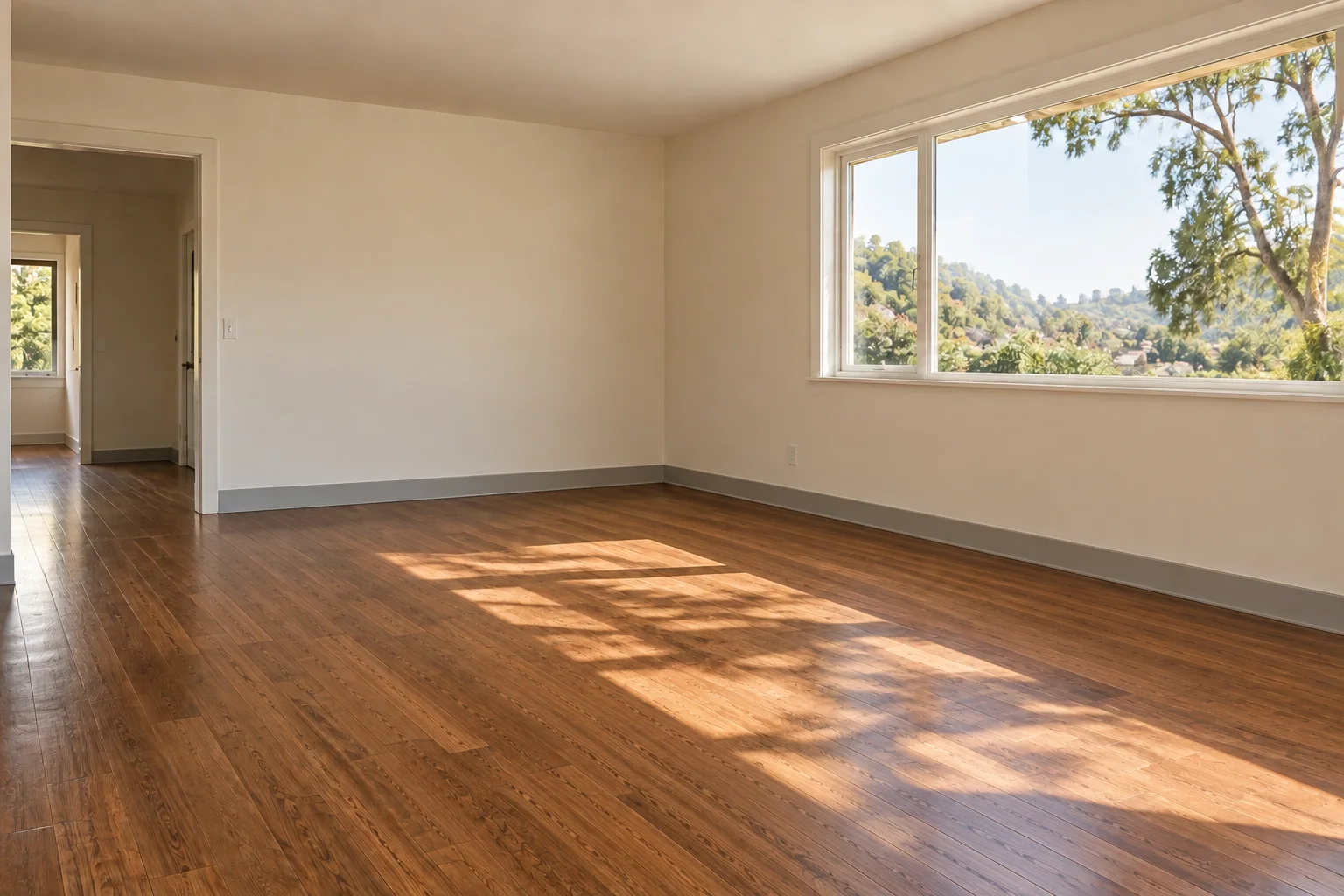
An empty room. A clear possibility.
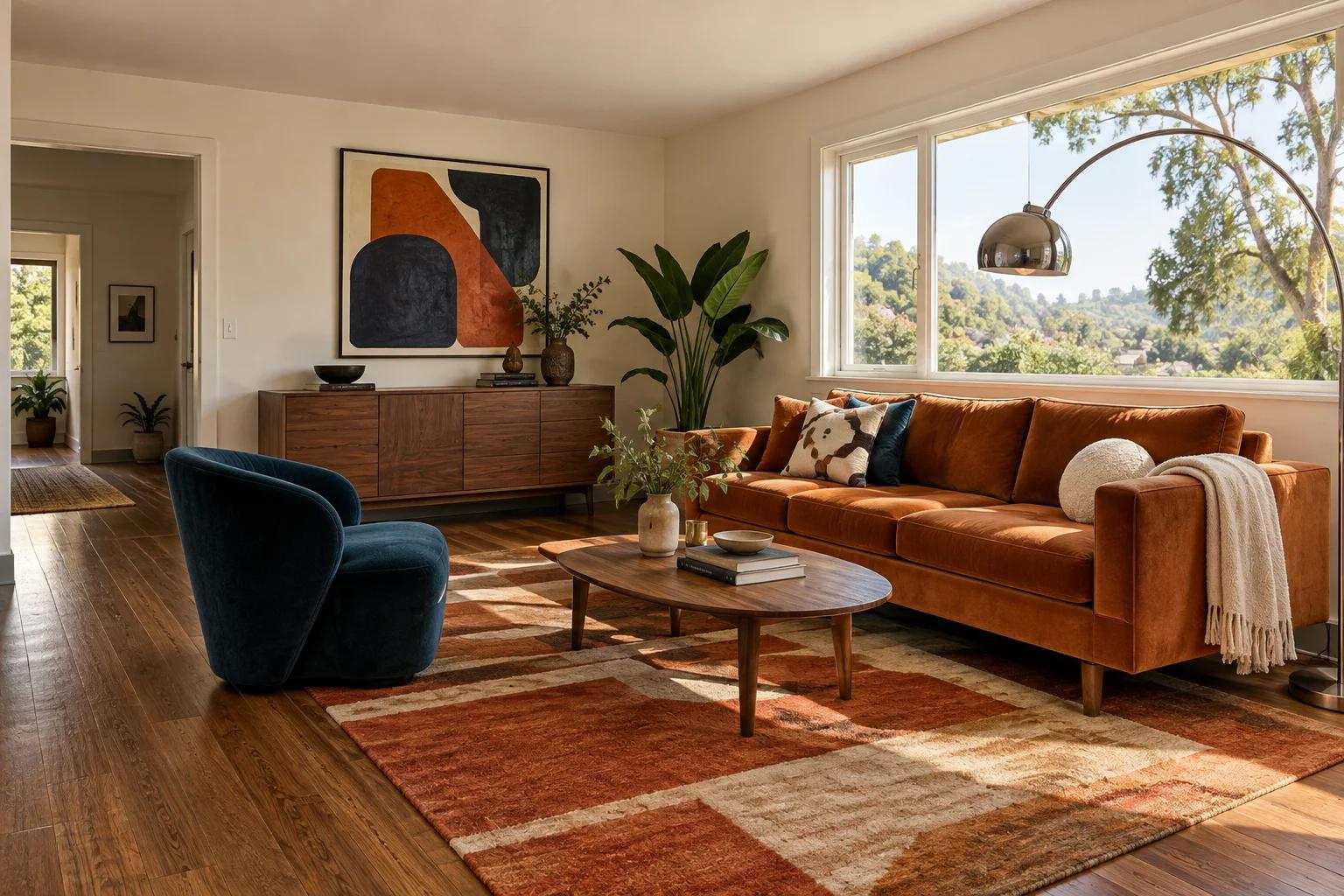
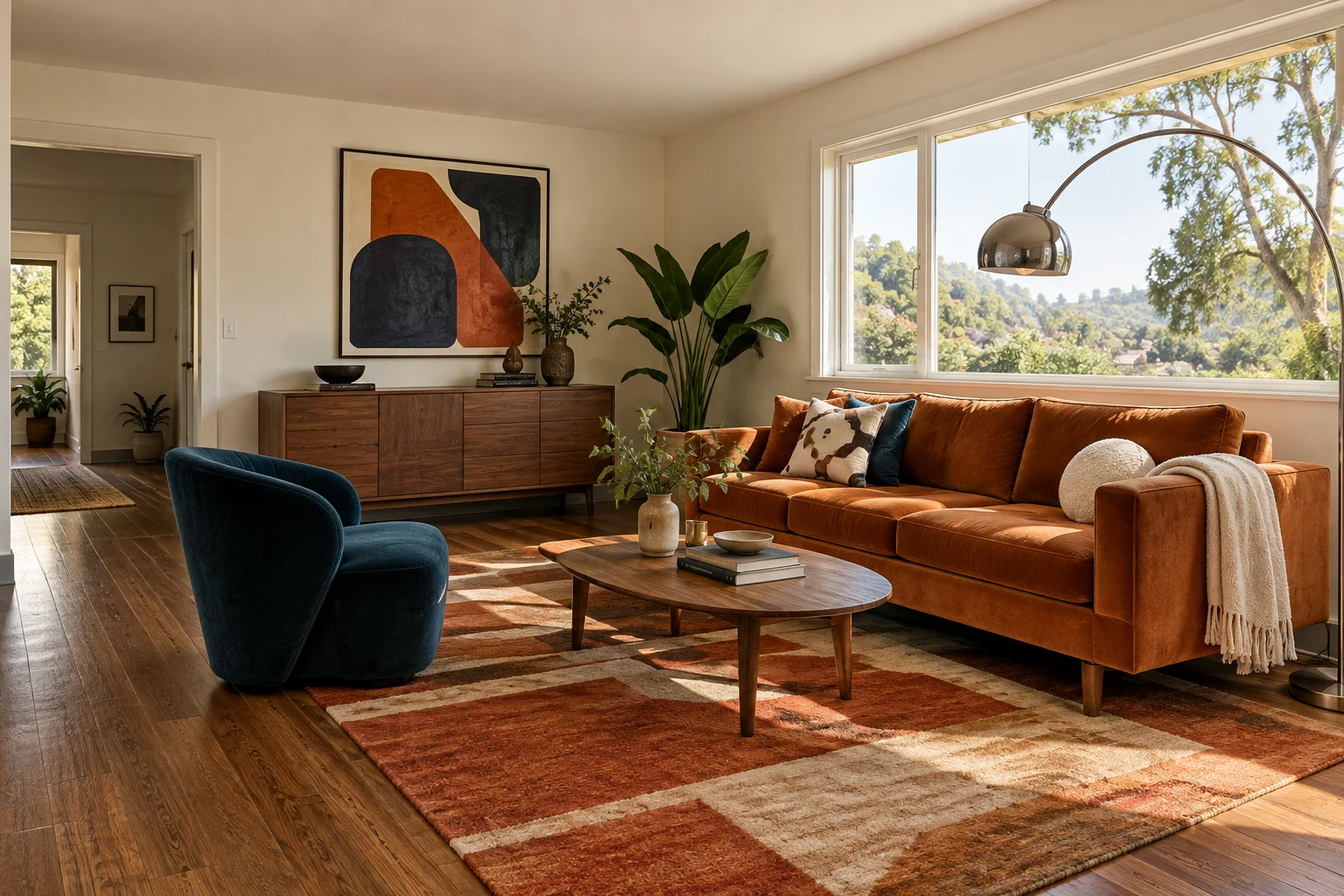
A sofa gives the living area a focal point. A rug brings the seating together. Use staging to explain how a room could work, then compare every fixed feature with your original photo.
Example instruction
“Stage this living room in mid-century modern with a burnt-orange sofa, a petrol-blue chair and walnut furniture. Keep the walls, floor, windows and view unchanged.”
A style that fits the space
Different homes deserve different styles.
Start with the character already in the photo. A period bedroom and a warehouse apartment do not need the same furniture, palette or mood.
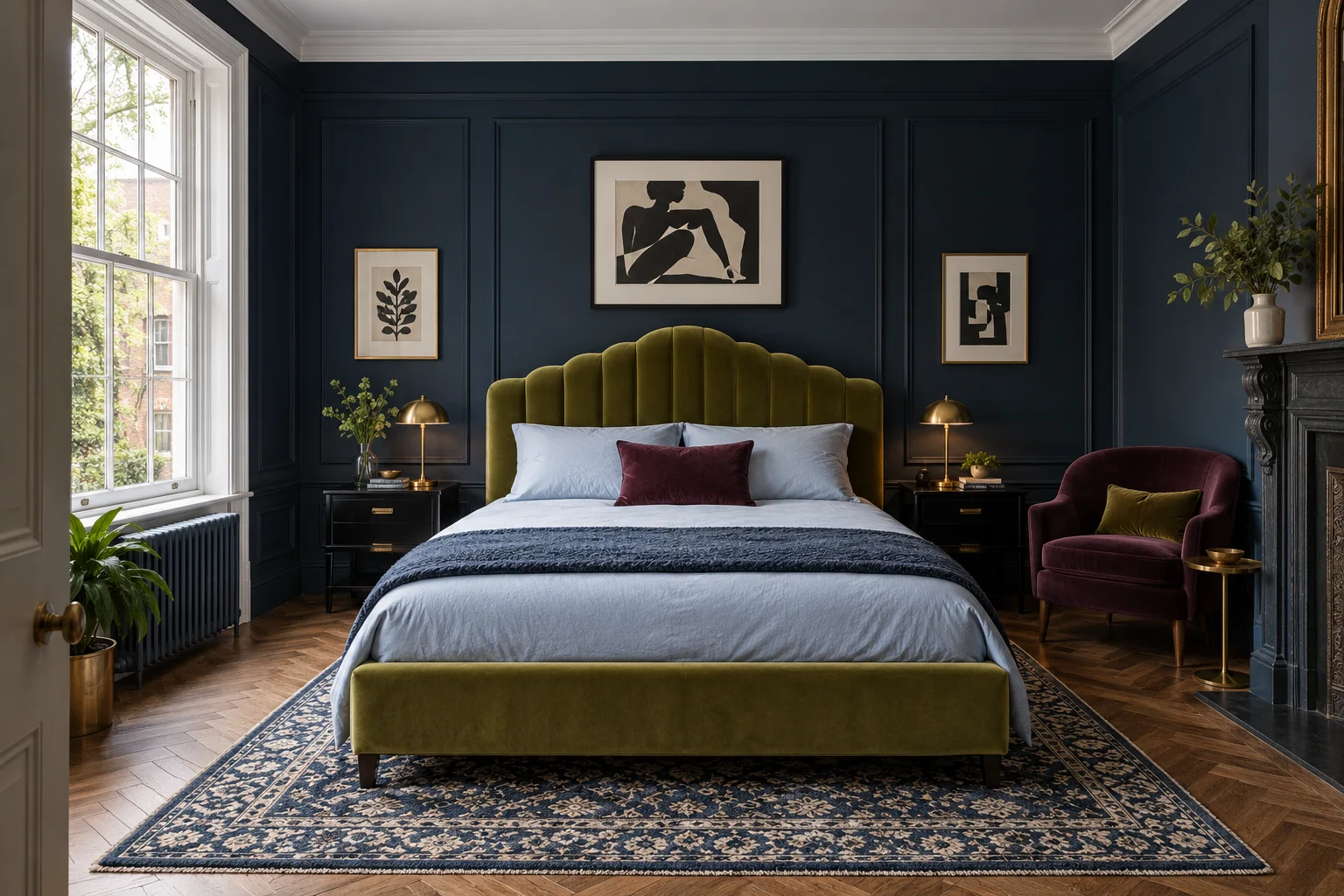
Bedroom · AI styling concept
Modern classic, with color.
A sculpted headboard and a confident palette can complement a room with existing period details. Show a usable bedroom layout without disguising its character.
Example instruction
Furnish this bedroom in a bold modern classic style, with a chartreuse upholstered bed and burgundy accents. Keep the existing wall color, moldings and floor.
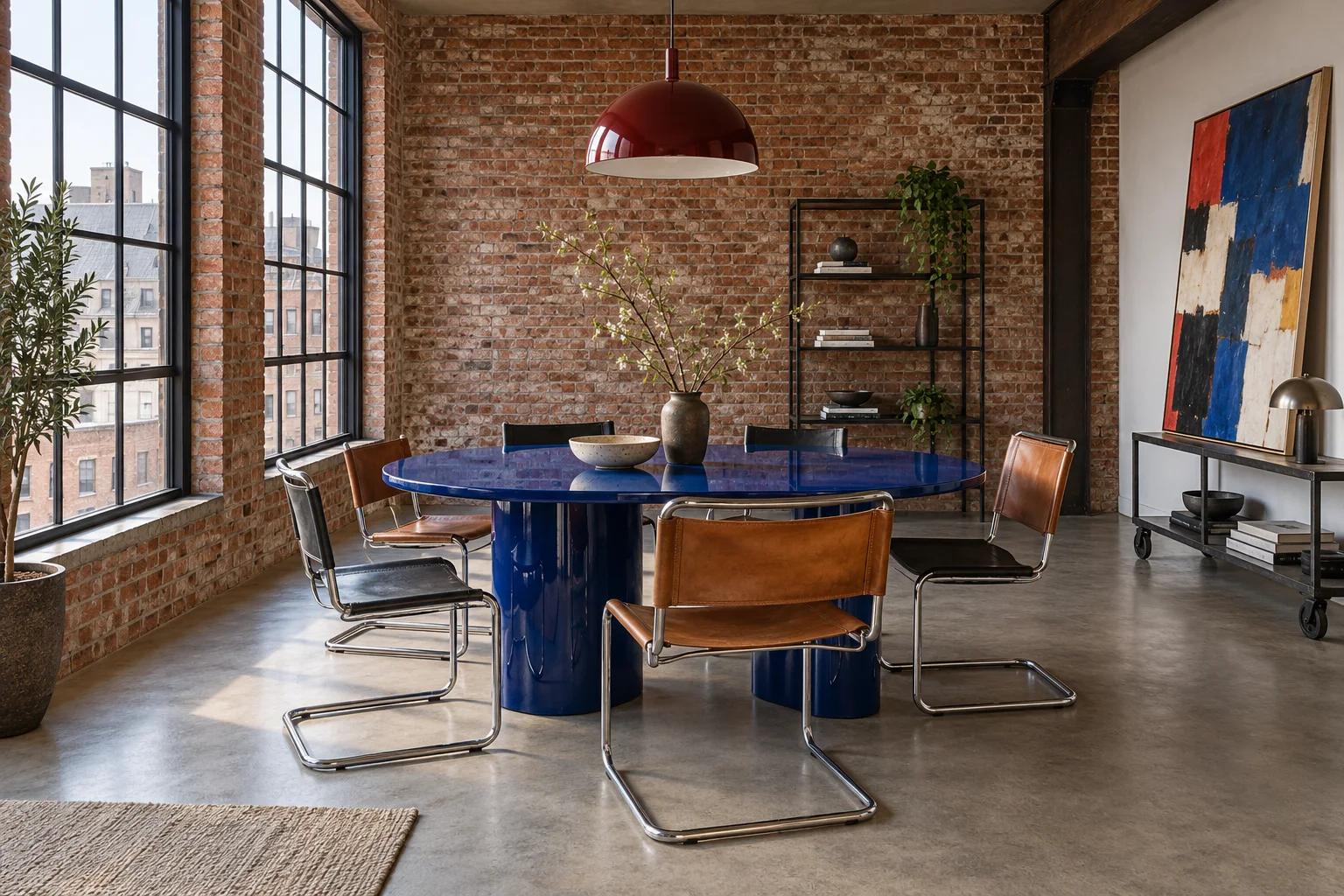
Dining area · AI styling concept
Industrial, with a point of view.
Cobalt, chrome and leather make a dining zone legible against exposed brick. Choose furniture that fits the available space and leaves a believable route through it.
Example instruction
Stage this loft dining area with a cobalt table and chrome-and-leather chairs. Preserve the brick walls, windows, floor and existing pendant light.
AI-generated illustrations made with imagegen. These are styling concepts, not customer listings or verified Studio results. Existing paint, brickwork and fixtures belong to each imagined room; a listing edit should preserve the actual property.
For agents and listing photographers
What can you do with a listing photo?
AI virtual staging adds digital furniture and decor to a photo of an existing room. Astravisualize helps real estate agents and listing photographers prepare furnished views of vacant homes and explore a new furniture arrangement in occupied rooms. You review the result before using it in a listing.
Start with a vacant room
Add furniture and decor to show the purpose of a living room, bedroom or dining space.
Explore virtual stagingWork around existing furniture
Remove movable furniture or try a different arrangement. Check the revealed surfaces against the actual property.
Explore furniture removalRefresh the furniture style
Try a different furnishing direction in an occupied room without asking for a renovation.
Explore furniture replacementPhoto to listing image
Your photo. Your direction. Your review.
Upload a real room photo.
Start with a clear image you have permission to edit. A level camera, visible corners and good light give you more detail to check.
Choose the job and style.
Open the staging tool, choose the room and style, and add specific instructions. Check the model, output size and credit quote before generating.
Compare, disclose and download.
Review the result against the original. Reject altered property details, add the disclosure your listing requires, and keep the original photo available.
Before a buyer sees it
Stage the furniture. Be exact about the property.
AI can alter details even when asked to preserve them. A convincing image still needs a careful review before it represents a home for sale.
Read the disclosure guide- Check windows, doors, walls, flooring, built-ins and the view against the original.
- Do not hide damage, remove permanent fixtures or show renovations as existing features.
- Identify digitally staged images clearly and keep the original photographs.
- Check the current rules for your MLS, brokerage and jurisdiction before publishing. Metadata alone is not a visible disclosure.
For example, realMLS calls for before-and-after images when media includes virtual staging. Local requirements differ. realMLS Photographer Toolkit (2025), page 6. General information, not legal advice.
Before you start
Real estate virtual staging FAQ
What is AI virtual staging for real estate?
AI virtual staging adds digital furniture and decor to a photo of an existing room. Astravisualize helps real estate agents and listing photographers prepare furnished views of vacant homes and explore a new furniture arrangement in occupied rooms. You review the result before using it in a listing.
Can I use virtually staged photos on the MLS?
Check your MLS, brokerage and applicable local rules first. Requirements vary and may include a visible label, a disclosure in the listing text and the original photo alongside the staged version. Astravisualize does not certify MLS compliance. Keep the original and review each image before publishing.
Will the AI keep the property exactly the same?
Exact preservation is not guaranteed. Staging instructions ask the model to retain the room, but windows, finishes, built-ins or views can still change. Compare the result with the original and reject any image that misrepresents the property. Virtual staging starts from a photo of the actual property. Text-generated concepts must be labeled as proposed ideas.
Can I remove existing furniture before staging?
Yes. Use Empty the room for movable furniture, then stage the cleared image. Clear & restyle also offers a review step between clearing and staging. Each generation uses credits. Check any newly revealed floor or wall against the real room, because AI must estimate what was hidden.
How much does virtual staging cost?
Try 5 watermarked renders for personal evaluation. Paid plans start at $15 per month. For occasional work, one-time packs start at $19 and purchased credits never expire. The credit quote depends on the selected model and size. Each generation, including a re-render, uses credits; failed generations are refunded and downloads use no extra credits.
Can I use the free images in a live listing?
No. Free-allowance renders are watermarked and for personal evaluation. Images paid for with a subscription allowance or purchased credits have no watermark and can be used commercially, subject to the terms and your disclosure obligations. Buying credits does not unlock a higher plan, premium models or larger output sizes.
Can listing photographers deliver the images to clients?
Yes, commercially usable paid renders can be included in client work. Make sure you have permission to upload and edit the source photos, identify which images were digitally staged, and provide the original photos so the agent can review them and follow local publication rules.
Start with one room
Give your next listing a furnished point of view.
Try 5 watermarked renders for personal evaluation. Paid plans start at $15 per month. For occasional work, one-time packs start at $19 and purchased credits never expire.
Free images are for evaluation. Paid renders can be used commercially with appropriate disclosure.