Staging & style
AI virtual staging for empty rooms
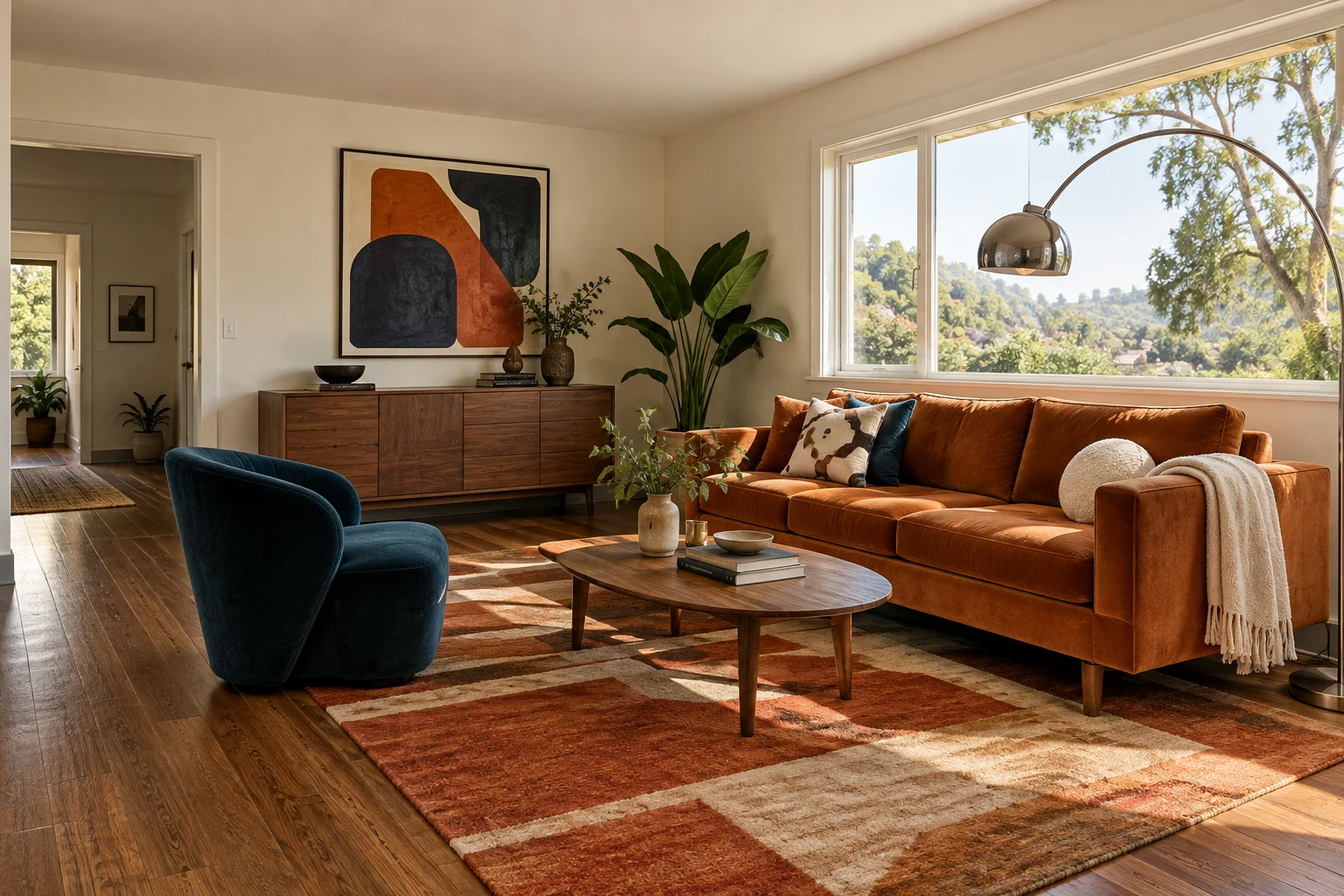
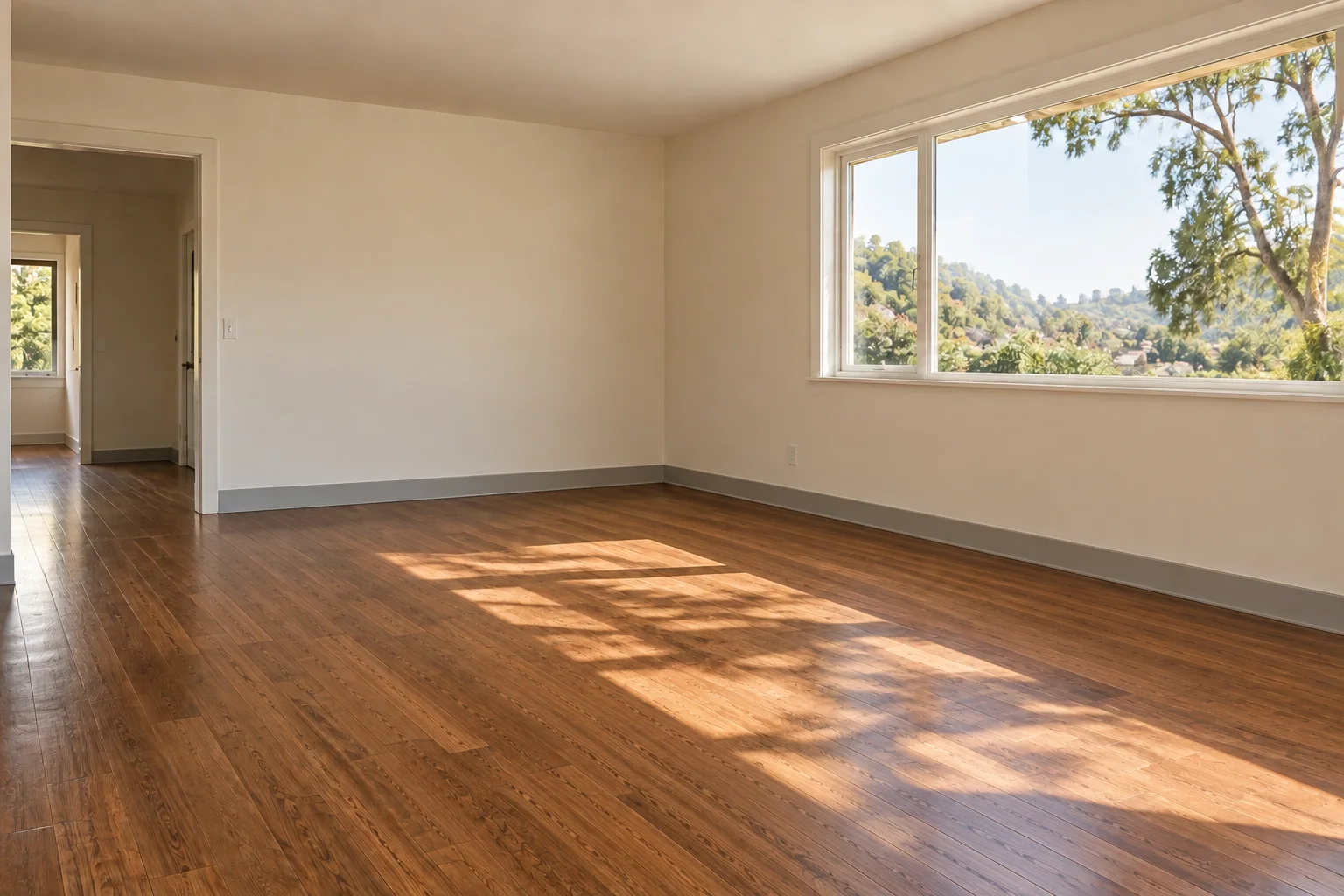
Add furniture and decor to a photo of an empty room, so a buyer or client can picture how the space could be used. The tool asks the model to keep the room as photographed, and you check the result against your original.
What you upload
A photo of an empty or nearly empty room
Use a level, well lit photo of an empty or nearly empty room that shows the floor and at least two walls. Furniture is placed on the visible floor, so a tight crop leaves little room for it.
JPG, PNG or WebP, up to 12 MB per image. Up to 1,536 px on the free plan and 6,144 px on Studio.
How to run it in Studio
- In Studio, open Photo tools and choose Furnish a room.
- Upload the room photo, then pick the room type and a furniture style.
- Add any specific requests in the instruction box. Check the model, output size and credit quote, then select Generate.
Example instruction
Stage this living room in mid-century modern with a burnt-orange sofa, a petrol-blue chair and walnut furniture. Keep the walls, floor, windows and view unchanged.
Check the result
Check windows, doors, flooring, built-ins and the view against the original photo. Make sure the furniture scale is believable and that nothing blocks a doorway.
AI can change details you did not ask it to change. Compare every result with your original before you use it. For a commercial listing, do not use an edit to hide defects or to present a proposed renovation as an existing feature.
Who uses this
Real estate
Agents and listing photographers
Get a vacant listing photographed, staged and online in the same afternoon.
For real estateInterior designer
Designers and stylists presenting to clients
Show a client three directions before you have bought a single cushion.
For interior designersQuestions
About AI virtual staging
What does AI virtual staging change, and what stays the same?
The model is told to furnish this empty room appropriately for its type, scaled correctly to the space. Leave clear walking paths; the room must read as spacious, not full. AI can still change a detail you did not ask for, so compare the result with your original before you use it.
What photo do I need?
A photo of an empty or nearly empty room. JPG, PNG or WebP, up to 12 MB.
How much does AI virtual staging cost?
Your first 5 renders are free with an account and no card. They carry a watermark and are for personal use. After that, one render with this tool is 9 credits on the standard model. Starter is $15 a month for 100 standard renders.
How long does it take?
Generation time varies by model, resolution and demand.
Can I use the result for a client or a listing?
Yes, on a paid plan or with a top-up pack: no watermark, and a commercial licence. Free renders are for personal use only. Renders may depict an edited space or a generated design concept. Always disclose edited and virtually staged photos when you publish them.
Also in staging & style