Open beta. 5 free renders, no card needed.

Try it →
Design Prompts

Video

Sunlit Interior Film

Give a furnished interior a slow camera move while asking its daylight and existing LEDs to stay steady. Includes a warm contemporary style brief and an edited six-shot example.

Input: Interior imageBy AstravisualizeUpdated

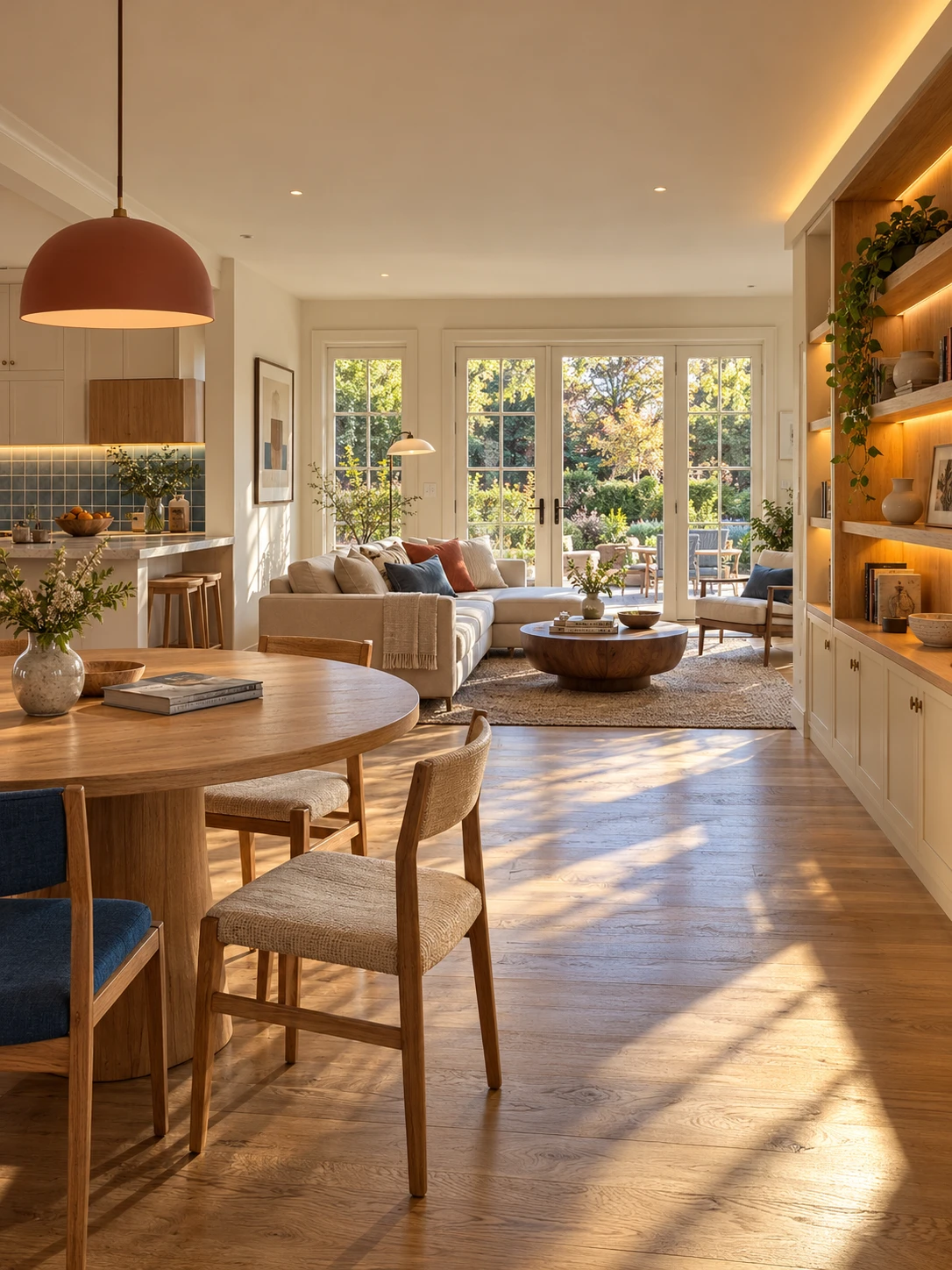
Starting image for the overview shot

Original concept generated with built-in Image Gen outside Studio. The film uses six separately prepared images; this is the starting frame for one of them.
Download Starting image for the overview shot

Video example

Edited local MiniMax H3 experiment from six original Image Gen concepts. Each shot was generated separately, then trimmed, color-matched where noted, dissolved and set to music. Not a single generation or Studio output. Additional views are design concepts, not verified reconstructions of one measured home.

Music: Reverie by Scott Buckley, released under CC BY 4.0. Excerpted, faded and normalized.

Read the workflow and results · Download prompt pack

How to use this prompt

  1. Start with a furnished image whose design and lighting you already like. The video prompt animates that image; it does not create the interior or install new lights.
  2. Customize the direction for the actual room. Name its visible LED areas, main furniture and floor material, and remove anything absent from your image.
  3. Open in Studio to prepare one Custom video shot, then upload your image. Review the model, duration, audio options and credit quote before Generate. Opening or copying does not generate.
  4. Inspect the whole result for changing geometry, flicker and LED color shifts. A steady-light instruction is a request, not a guarantee. Our local edit used separate color matching.
  5. For a film, prepare and review each view separately. Assemble the clips and short dissolves in a video editor, then add music whose license covers your platforms.
  6. Read the companion blog for the style notes, exact six-shot prompt pack, local settings and remaining artifacts.
Starting-image brief: warm contemporary interior

Use this separately in an image generator to create an original concept. For a real property, preserve its actual room and fixtures. This brief is not sent by the video button.

Copy the full text and adapt it in your preferred image editor.