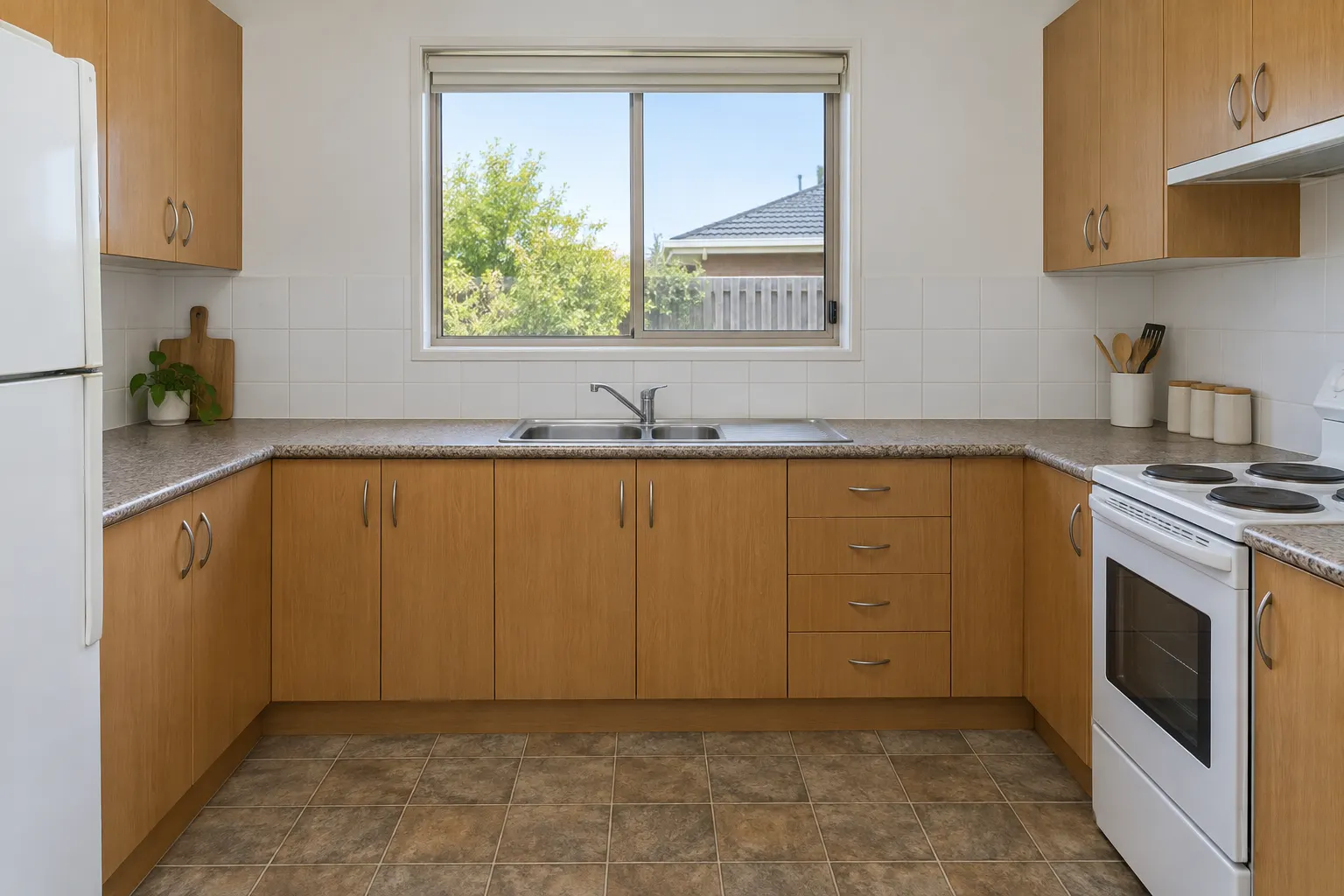
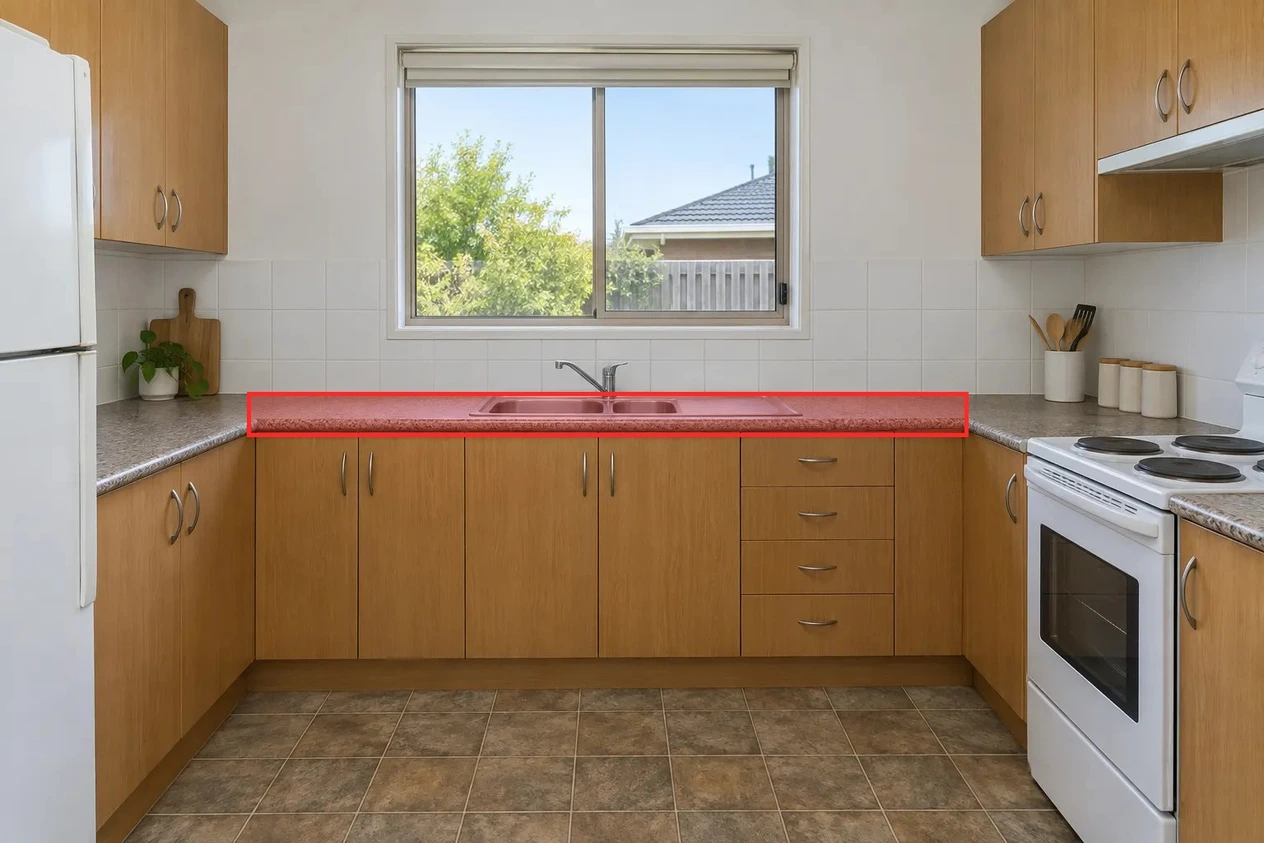
Existing sample photo used in the kitchen comparison. Upload the clean photo, then mark the intended countertop in Studio.Download Original kitchen photoMarked area used in the test
This marked copy was a location guide alongside the clean photo, not a material reference or a native inpainting mask. The rectangle includes the sink; the article shows why using it as a native mask removed the sink in a separate experiment.
Existing October 7 model-comparison output. Nano Banana 2.1 received the source photo, a marked-up copy and this user instruction through our image pipeline. This is one recorded result, not a guarantee for another model.
Open the template and upload the original, unmarked kitchen photo. Use the marked example to identify the back run along the sink wall, excluding both side runs.
Mark that location with Studio’s annotation tools and include the markup with the request. Do not upload the red rectangle as a material reference. If using a native mask elsewhere, exclude the sink and faucet from the editable area.
Change the material and finish in the instruction for your own proposal. Keep explicit instructions for every adjacent surface and fixture that must stay.
Compare the sink, faucet, joints, countertop edges and both side runs with the original. The linked comparison includes a model that changed an extra section and a native-mask attempt that removed the sink.