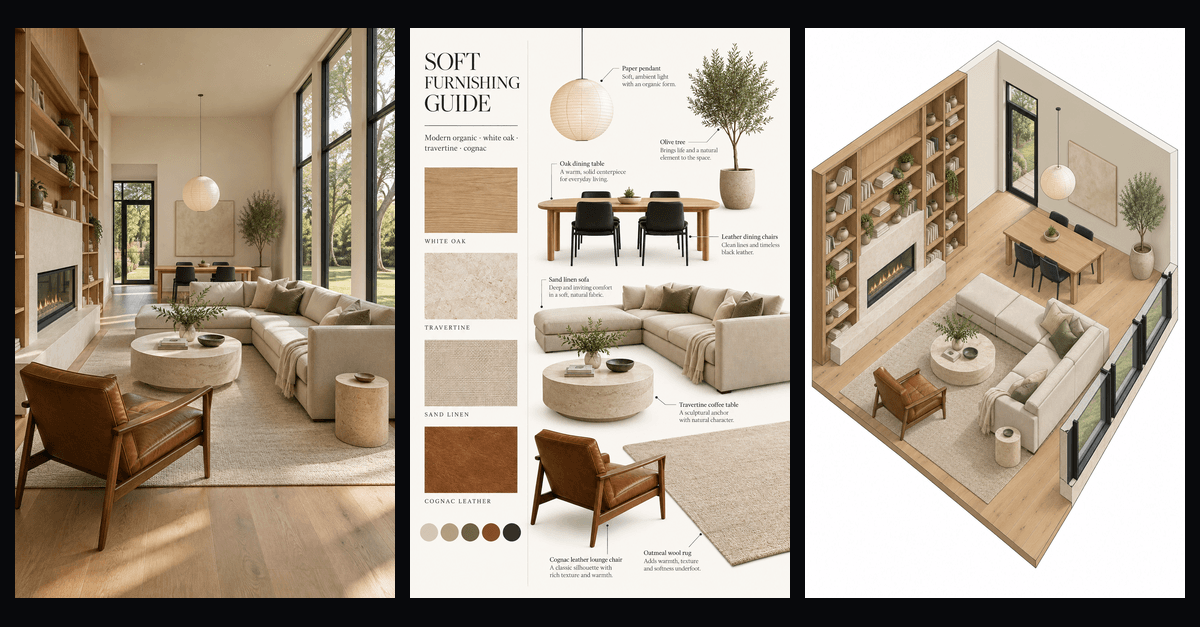
Six rooms, each one a magazine cover, joined by a single camera that never cuts where you can see it. Watch it first.
We first saw the format in a reel by the Xiaohongshu creator 穿行者. The stills were made with an image model and the motion with an open first-and-last-frame video model running on our own machine. None of it is a Studio output.
The finished reel took about twenty takes that we threw away. Almost every one failed for a reason we could name afterwards, and the reasons turned into rules. Here they are.
How the reel is built
Each clip does one job: leave a room and arrive in the next. We give the video model two pictures, the cover of the room we are leaving as the first frame and the cover of the next room as the last frame, plus a prompt that describes the move in between. The clips are then joined end to end. Nothing is drawn on top afterwards: the titles, the walls and the light all come out of the model.
That last part matters. Our first versions tracked the titles and drew the walls in code. They never looked right, and they were slower to fix than a better prompt.
1. Move sideways, never into a wall
A camera that pushes straight at a wall reads as a crash. The surface swells from the middle of the frame and there is nowhere for the eye to go. A camera that trucks sideways past a wall reads as a dolly move on a real set: the wall slides across the lens like a wipe.
Every transition in the reel is a truck to the right. The exception we allowed: a push past a desk that then turns sideways into the wall. Pushing past something is fine. Pushing into a flat surface is not.
2. Keep one direction across every cut
If the camera leaves the kitchen moving right, it has to enter the bedroom still moving right. In one early take the camera trucked out of a room and the next clip pulled backwards through a doorway. Each clip was fine alone. Together they looked like two different films.
3. One wall per transition, and make it a real one
The cut hides at the moment a wall fills the frame. That wall should be something that could be in the house: walnut paneling, a stone pier, a cabinet edge. One take sent a ceiling beam past the lens, then a second one. Nobody watching knows why the second beam is there.
Ask for the grain to be visible. When we wrote only "a dark wall", one take went fully black for half a second, which reads as a dropped frame rather than a wall.
4. The first frame and the prompt must agree
This one cost us a whole scene. The prompt said "the camera dollies slowly forward", while the first and last frames were the same framing, one without the title and one with it. The model did what both asked: it pushed in, then backed out to land on the last frame. On its own the clip looked like a gentle breath. Next to a sideways move it looked like the camera had changed its mind.
If the two frames share a framing, ask for a locked-off camera and let the light do the moving. If you want the camera to travel, give it two frames that are actually apart.
5. Optical effects in a still turn into objects
The reference reel looks as if it was shot through crumpled cellophane. We baked that look into the first frame. Both times, the moment the camera moved, the model treated the cellophane as a real sheet in front of the lens and set it flapping like a curtain. Telling it the filter was "fixed to the lens and never flaps" changed nothing.
What worked was the reverse: a clean first frame, and the prompt asking for "a faint prismatic rainbow glint near the edge of the frame". The model draws the glint and keeps it where light would put it.
6. A title in the first frame either rides the room or floats on the wall
Each cover's title is part of the first frame, so the model has to decide what it is. Sometimes it treats the letters as printed on the room: the wall slides in front of them and covers them column by column. Sometimes it treats them as stuck to the screen, and you get a headline hovering over walnut paneling.
The same sentence in the prompt worked in one room and failed in the next. The version that never failed: the title fades out as the camera starts to speed up, before the wall arrives. You lose the clever wipe. You keep a clean frame.
7. The model lands early, and two angles of one room are not one room
Give a model an exact last frame and it tends to arrive about two seconds early, then hold perfectly still. A still frame has no moving light either, so the room looks paused. Asking it to "never come to a full stop" did not help. We cut the hold in the edit instead, which is the only editing the reel has besides joining the clips.
The bigger lesson came at the end. We wanted the last shot to rise from eye level to straight overhead. The eye-level picture and the overhead picture had been made separately, and the sideboard and the glass wall were in different places in each. Asked to move between them, the model shifted the walls on the way up. No prompt fixes that: the two pictures are not the same room. We ended on a slow drift at eye level instead.
What else went wrong
The seven rules are about what the model did. These were about how we worked.
Ten clips at once was a lottery. Our first pass generated every transition in one batch and reviewed them together. Nearly every clip had one fatal flaw, and we could not tell which fix had helped. We switched to one segment at a time: write the prompt, approve it, generate, accept or redo, then move to the next room.
Picking the best takes is not editing. We tried cutting together the strongest clips from all the batches. It looked like a stack of clips, because each one had been made without knowing its neighbors: a camera stopped in one, started from rest in the next, changed speed at the join. Now every clip starts on the exact frame the previous one ends on.
Five seconds was too short. At five seconds the camera hurried out of each room before the light had finished moving across it. About seven seconds per room let the light play and still left time for the move.
Holds we never asked for. The camera sat still for a second or two after the light finished, and again after each cut. Both came from the model landing early. We trimmed the holds in the edit rather than keep rewording the prompt.
What to take from it
Write the camera move before you write the room. Decide the direction once and keep it. Give the cut somewhere to hide. Check that the frames and the words ask for the same thing. And when a model fails the same way twice, change the setup, not the adjectives.
If you want the stills that start a reel like this, the room covers begin as ordinary interior renders. Try one on your own photo in Studio: new accounts get five free watermarked renders, and plans are on the pricing page.
- ai-video
- interior-design
- first-last-frame
- transitions
- reels